Notepad++
Notepad++ is a free, open-source text and source code editor for Windows by Don Ho, based on the Scintilla editing component.
6.6 MB

Adobe Dreamweaver is Adobe's web development application for Windows and macOS that combines a code editor with visual design and live preview.
Average 0.0 · ratings: 0
Thank you! Your rating is saved; you can change it. Could not save the rating. Please try again later. Too many ratings from your network today. Please try again tomorrow. The average appears after 5 ratings.
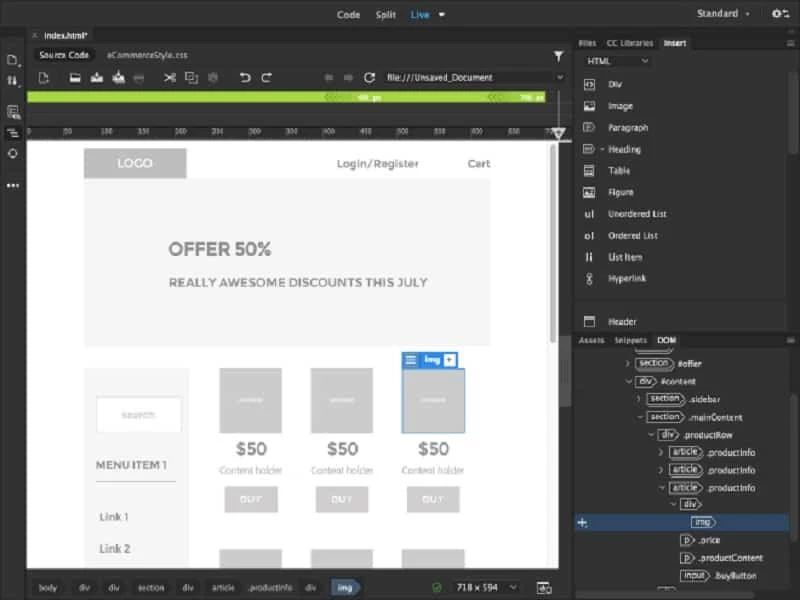
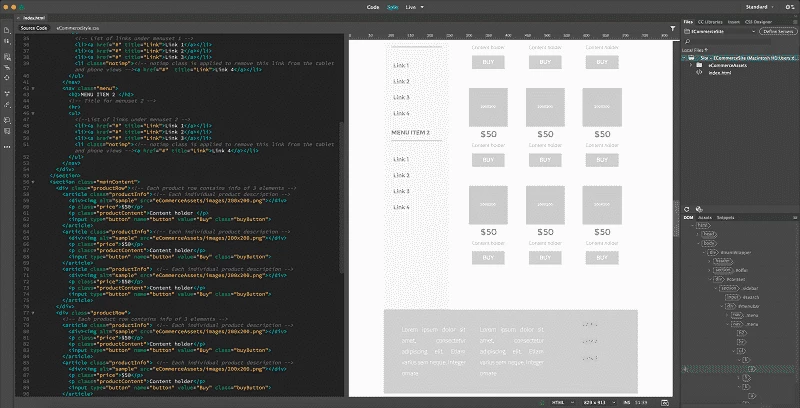
Adobe Dreamweaver CC 21.8.1 is a web design and development application for Windows from Adobe Inc., released on 1 July 2026. You download Dreamweaver when you want to build and edit websites with HTML, CSS and JavaScript while seeing a live visual preview, or maintain older sites that were created in it.
| Item | Details |
|---|---|
| Version | CC 21.8.1 (1 July 2026) |
| Developer | Adobe Inc. (originally Macromedia) |
| First release | 1 December 1997 |
| Windows | Windows 10 version 1903 or later (64-bit), Windows 11 (64-bit) |
| Processor | Intel Core 2 or AMD Athlon 64; 2 GHz or faster |
| RAM | 2 GB (4 GB recommended) |
| Disk | 2 GB for installation plus about 2 GB free during setup; not on removable flash storage |
| macOS | Monterey, Ventura, Sonoma, Sequoia; Apple Silicon or Intel |
| Licence | subscription (Creative Cloud) |
Full details are on Adobe's system requirements page.
Dreamweaver started at Macromedia in 1997 as a visual HTML editor, at a time when most web pages were written by hand in plain text editors. Adobe acquired it along with Macromedia and turned it into part of Creative Cloud. Today it combines a capable code editor, with syntax highlighting, code hints and Emmet shortcuts, and a live view that shows the rendered page and lets you select elements visually. It includes starter templates and support for Bootstrap-based responsive layouts, so you can preview how a page looks on phones, tablets and desktops. Built-in FTP and SFTP publishing uploads your site to a server, and site management keeps local and remote files in sync. Dreamweaver also works with Git for version control and connects to other Adobe apps for images and assets. It remains popular with designers who prefer seeing a page while coding and with teams maintaining legacy sites.
Dreamweaver is available only by subscription, alone or as part of Creative Cloud plans, with a free trial. Prices are on the official product page.
Dreamweaver fits designers who think visually and want to see the page while they write code, small agencies that maintain many simple sites, and anyone who inherited a project built with Dreamweaver templates. Developers working with modern frameworks usually prefer lighter code editors.
Install only through Creative Cloud. Cracked Adobe software is a frequent carrier of malware, and a web editor stores server passwords, which makes that risk worse.
Free tools on our site include Notepad++ for editing code and XAMPP for running a local web server with PHP and MySQL.
Notepad++ is a free, open-source text and source code editor for Windows by Don Ho, based on the Scintilla editing component.

XAMPP is a free, open-source web server solution stack from Apache Friends for running and testing websites on your own computer.
Arduino IDE is the free, open-source development environment for programming Arduino boards. Version 2.3.10 is the current Windows release.

Android Studio is Google's free integrated development environment for building Android apps. This page covers version 2026.1.4.8 Quail 4 Patch 1 for Windows.
PSeInt is free, open-source educational software by Pablo Novara that helps beginners learn programming logic by writing and running pseudocode.